Manual Onboarding Email Process in MyAttendanceManager (MAM)
Summary
This document outlines how to manually send a MyAttendanceManager (MAM) onboarding email.
Once a new employee has been entered into Attendance on Demand (AOD), the employee will receive their onboarding email the next day, after the nightly process runs. This allows the employee to create a password and log into MAM. There may be instances where the employee needs access to MAM the same day they were hired.
Manual Onboarding Email Process
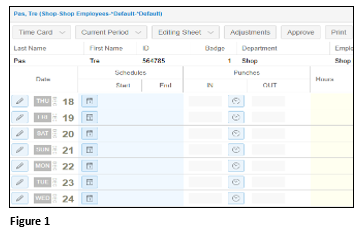
1. Once an employee has been added to AOD, search for the employee and navigate to their timecard (Figure 1).
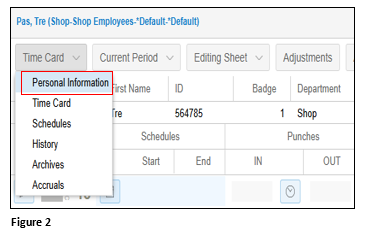
2. From the Time Card menu dropdown, select Personal Information (Figure 2).
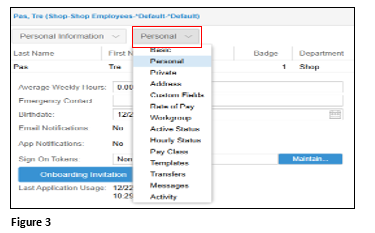
3. From the secondary menu, select Personal (Figure 3).
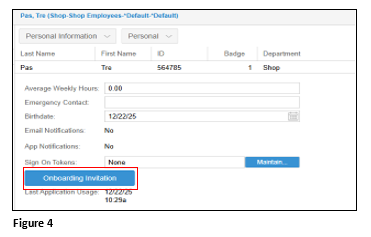
4. Click Onboarding Invitation (Figure 4).
5. On the Send Employee Onboarding Invitation box, click OK. The registration email will now be sent to the employee (Figure 5).