How Employee's Register for MyAttendanceManager (MAM)
Summary
This document outlines how an employee will register for MyAttendanceManager. Employees will receive an email from Attendance on Demand that invites them to register.
MyAttendanceManager Registration
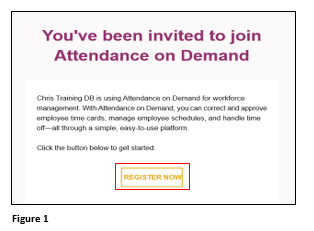
1. The new employee will receive an email notification from Attendance On Demand (they may need to check their spam folder). Upon receipt, click RegisterNow (Figure 1).
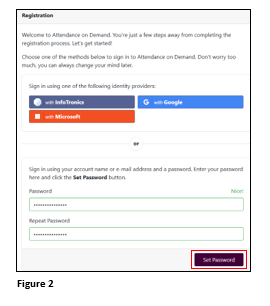
2. The Registration page will open in a web browser. The employee may register with their personal Google or Microsoft login or create a password to use with their account name, which is their email address. Enter and repeat the password and when ready click Set Password (Figure 2).
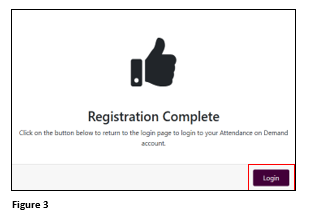
3. Upon the creation of a setting a successful password, the user will see a Registration Complete page. Click Login to get into MyAttendanceManager (MAM) however, this link will only work one time and should only be used to test the login. DO NOT BOOKMARK THIS LINK Users should get their link to bookmark from their administrator (Figure 3).