How to Transfer with tmsKiosk
Summary
This document outlines how employees can perform a transfer using tmsKiosk.
A transfer is a temporary authorized workgroup change that moves to the timecard that some organizations use. To transfer, the user must first be punched in.
How to Transfer
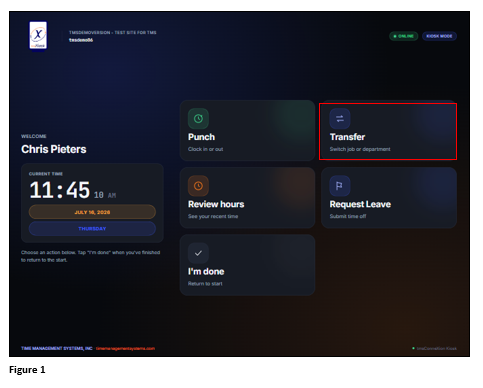
1. To temporarily Transfer from one workgroup to another, from the Action screen and after punching in, tap Transfer (Figure 1).
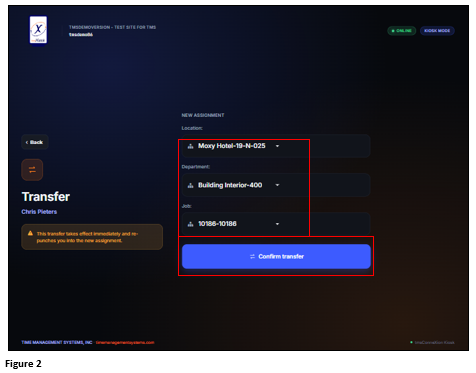
2. From the Transfer screen, use the workgroup dropdown arrows to select the appropriate temporary workgroups. The number of workgroups available may vary. Tap Confirm Transfer (Figure 2).
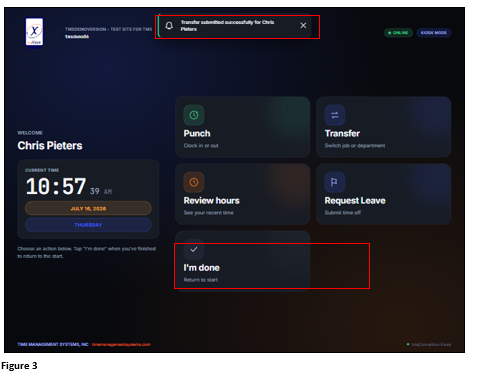
3. Upon a successful Transfer, the User will be taken back to the Action screen where a Successful Transfer message will display. Tap I’m Done to exit (Figure 3).