How to Request Time Off with tmsKiosk
Summary
This document outlines how employees can request time off in tmsKiosk.
How to Request Time Off
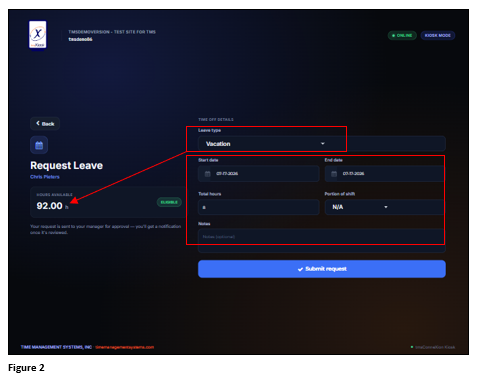
1. To Request Time Off, from the Action screen, tap Request Leave (Figure 1).
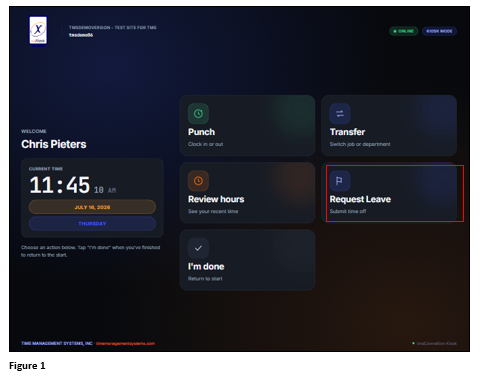
2. The Request Leave box will open. Select the Leave Type and once selected the available balance will display. If requesting a partial or single day off, the Start and End dates will be the same; if requesting multiple days off, change the end date appropriately. Enter the Total Hours requested, and if requesting a partial day, add that information to the Notes. If the user has an assigned schedule, then Portion of Shift may also be selected. Tap Submit Request to send (Figure 2).