How to Approve a Timecard with tmsKiosk
Summary
This document outlines how employees can approve their timecard in tmsKiosk
How to Approve a Timecard
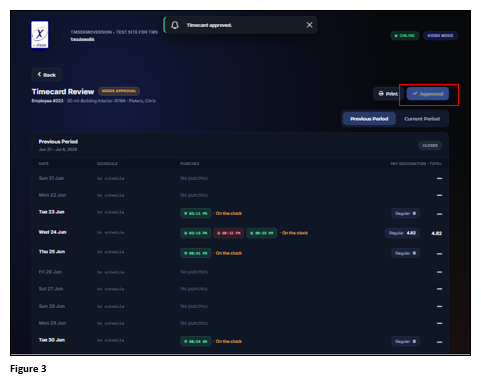
1. Users may be asked to approve their timecard at the end of the pay period. To approve the timecard, tap Review Hours (Figure 1).
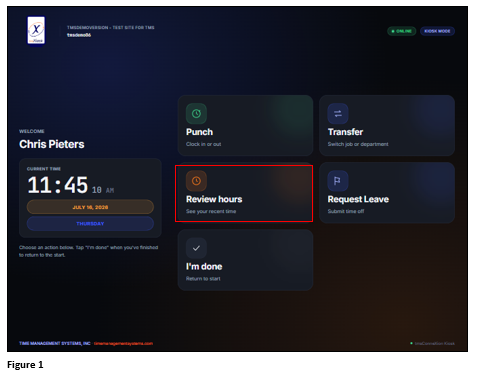
2. Tap Previous Period and when ready, tap Approve Period (Figure 2).
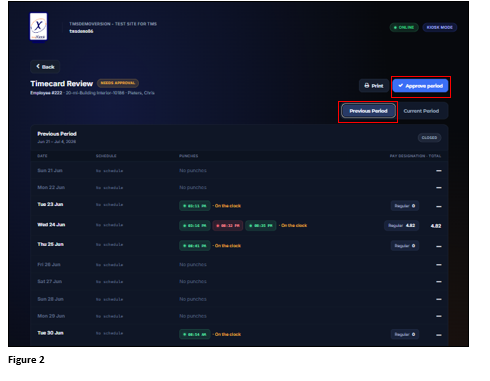
3. Once approved, the Approve Period button will grey out and will be unavailable until the next previous period (Figure 3).